Working-day Gantt
Slovenian public holidays built in, Saturday as a working day switchable per project, Sunday never.
ConaPlan connects the plan in the office with what happens on site. The project manager plans in a Gantt chart; the foreman confirms activity status from the phone and files a voice report in half a minute. You see delays, problems and the forecast finish the same day — not at month end.
14 days free · cancel anytime · prices excl. VAT


ConaPlan is construction project software from Slovenia that combines a construction schedule (Gantt chart) in a web app with site reporting in a mobile app for iOS and Android.
You build the schedule or import it from MS Project, Primavera or Excel. The site keeps it current with status confirmations, problem reports and voice reports that become a clean PDF — groundwork for the official site diary. The manager sees what is late, what is on the critical path and when the project will really finish.
The plan stays in the office, the status comes from site. Nothing in the plan changes without your approval.
Open an existing schedule from MS Project (.mpp, .xml), Primavera (XER, P6 XML) or Excel / CSV, or build it in the Gantt chart. Durations are counted in working days with public holidays.
Assign activities to crews. ConaPlan warns about double bookings, and subcontractors confirm their activities through a link — no account, no app.
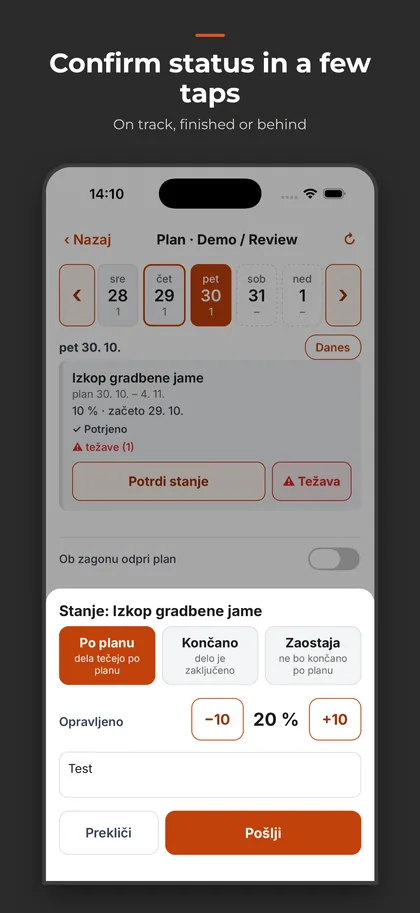
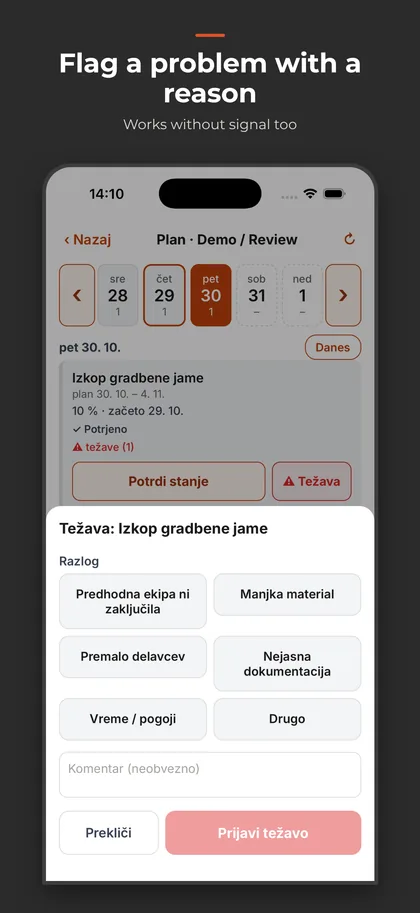
In the mobile app the foreman confirms status ("on plan", a percentage, or "behind" with a reason), reports a problem or records a voice report. Works without signal too.
Approve or reject progress from site; plan changes go through a proposal and approval. A weekly report can arrive by email automatically every Monday.
Construction schedule
A Gantt chart that counts the way builders do: in working days, with dependencies and deadlines.
Slovenian public holidays built in, Saturday as a working day switchable per project, Sunday never.
Finish-to-start, start-to-start and finish-to-finish links with lags (negative too), start-no-earlier-than, fixed finish and milestones.
MS Project (.mpp and XML), Primavera (XER and P6 XML) and Excel / CSV with column mapping. Before importing you see a date comparison and warnings by row.
Total float for every activity, critical activities and the links that drive the project finish, highlighted in the Gantt chart.
Nine automatic checks: activities without predecessor or successor, long lags, start constraints hiding logic, unreachable fixed finishes, double-booked crews.
From actual dates and percentages ConaPlan calculates when the project will really finish — next to the plan, without overwriting it.
Saved schedule versions, a baseline, a comparison of any two versions and a change history for every activity.
A manager drafts a changed schedule with a reason; the owner approves or rejects it. An approved proposal becomes a new version.
Crews with availability, double-booking warnings and a three-week lookahead by crew — on screen and as a PDF for the site meeting.
On site
Built for the site, not the office: voice instead of typing, one tap instead of a form.
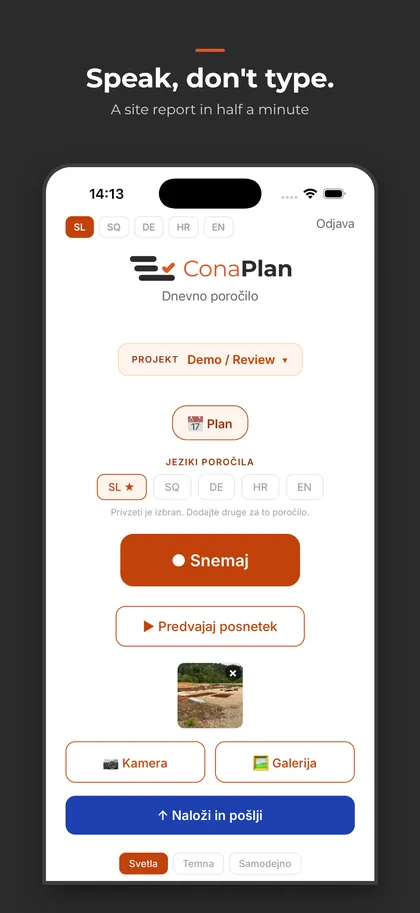
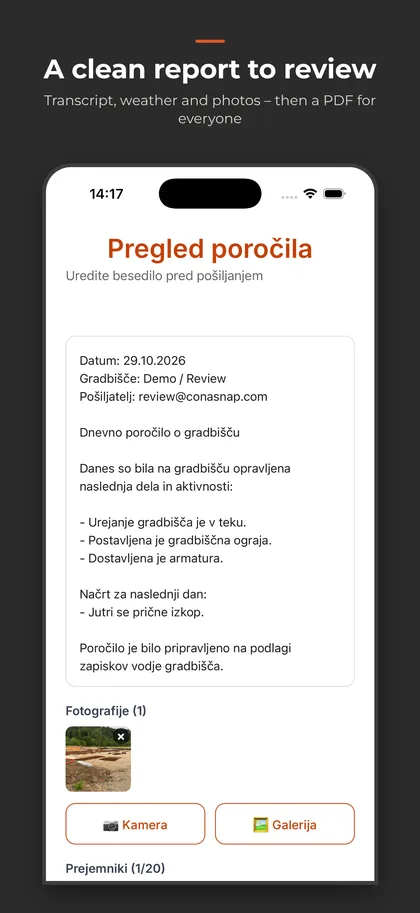
The foreman talks instead of typing. AI transcribes the recording and structures it into a report with weather and photos. Clean groundwork for the site diary.
No report goes out without the foreman's confirmation. The step is built in and cannot be skipped.
One report, one PDF, each language on its own page — client, contractor and supervision each read their own language. Emailed to every recipient on the project.
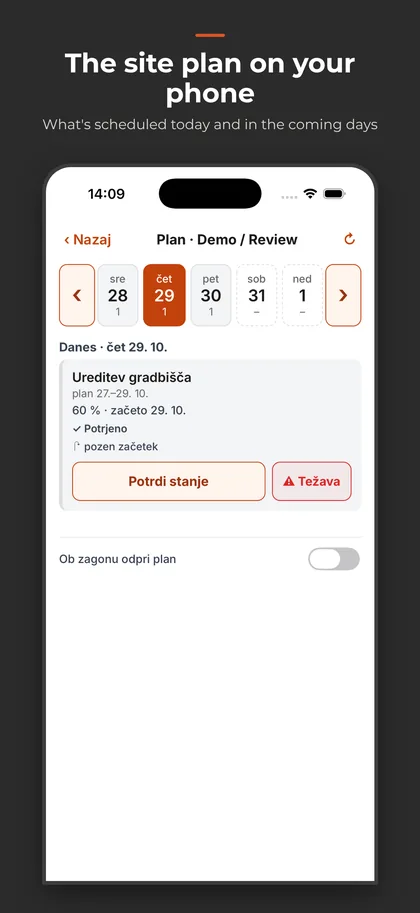
Activities from three days back to seven days ahead. Confirm status with one tap: on plan, a percentage, or "behind" with a reason.
Missing material, too few workers, the previous crew not finished, unclear drawings, weather. The problem shows up in the plan immediately.
Reports, confirmations and problem reports are stored on the phone and sent automatically once a connection is back — without duplicates.
Team and reporting
Everyone sees their part; the person responsible for the deadline decides.
Each crew gets its own link: it shows only that crew's activities, answered with "confirm", "problem" or "not sure yet". Subcontractors do not count as users.
Owner, manager and field. The owner invites members with a code, managers plan, field members report. Only the owner changes fixed finishes.
Progress from site is a proposal until a manager approves or rejects it. Actual starts and finishes are recorded with a date and an author.
Progress, delays, open problems, schedule changes and next week — on screen, as a PDF and by email — optionally every Monday at 7:00, also to the client or supervision.
More on each part
The planning web app and the mobile app for the site — as they are.
The web app is shown in Slovenian, its current language.
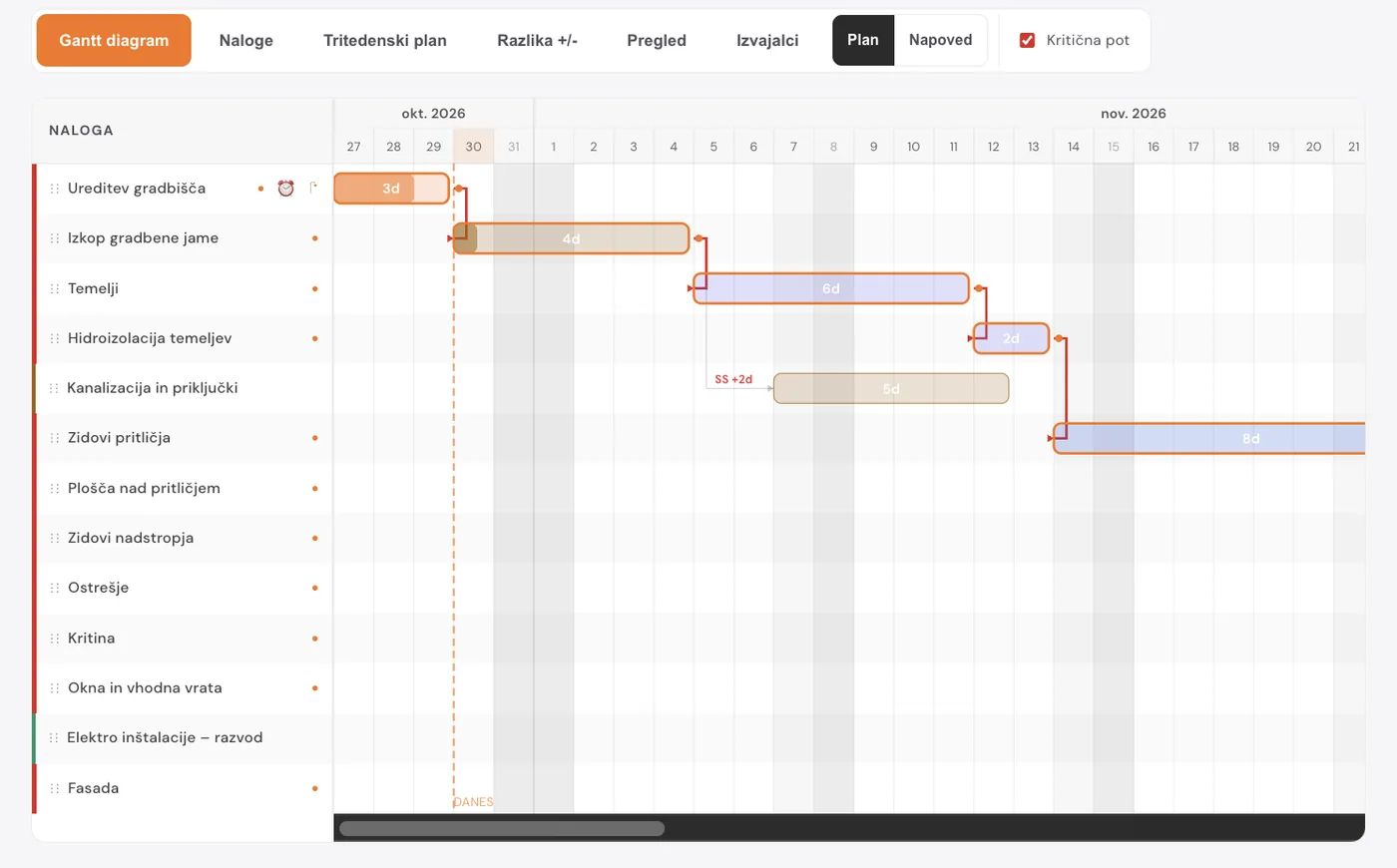
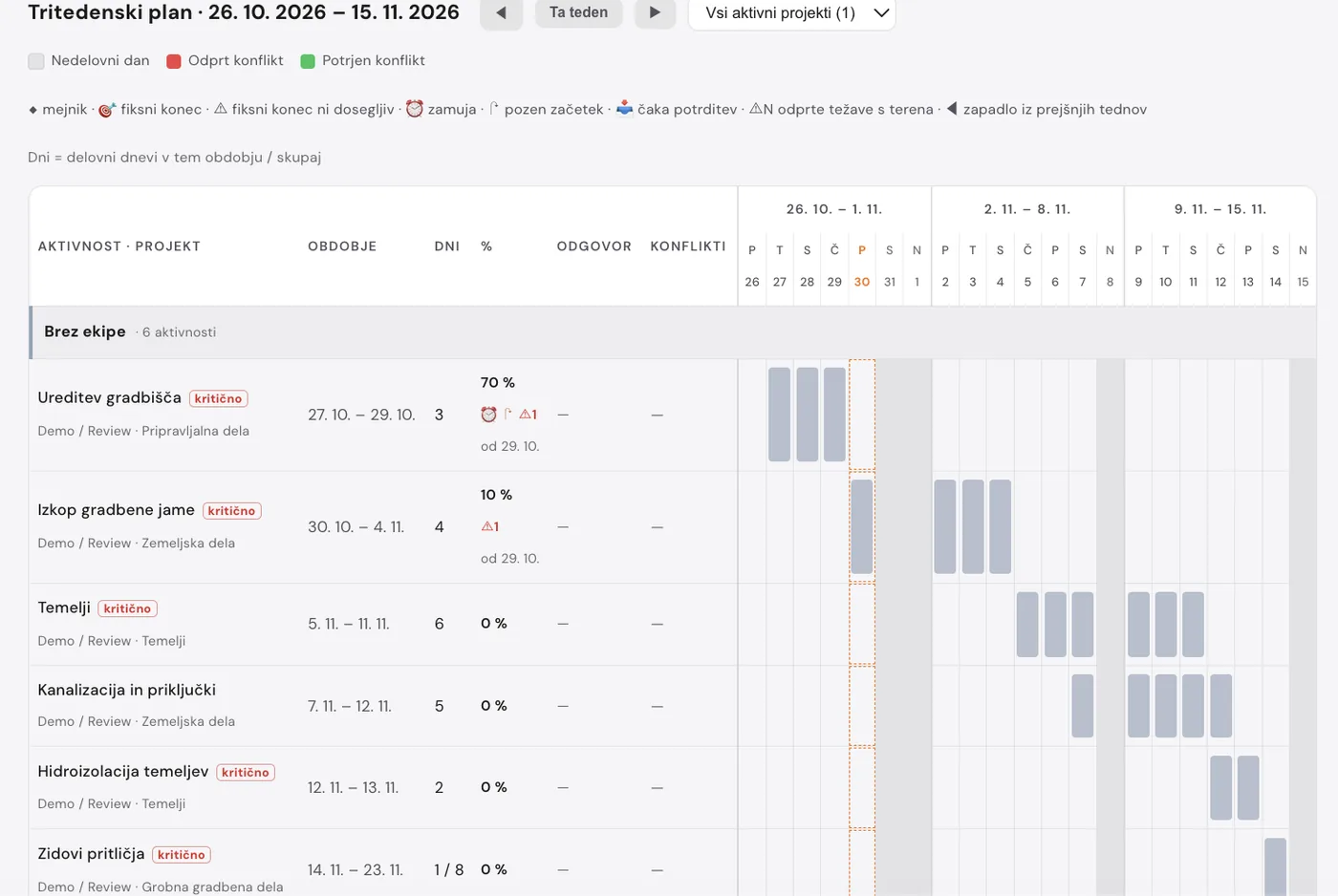
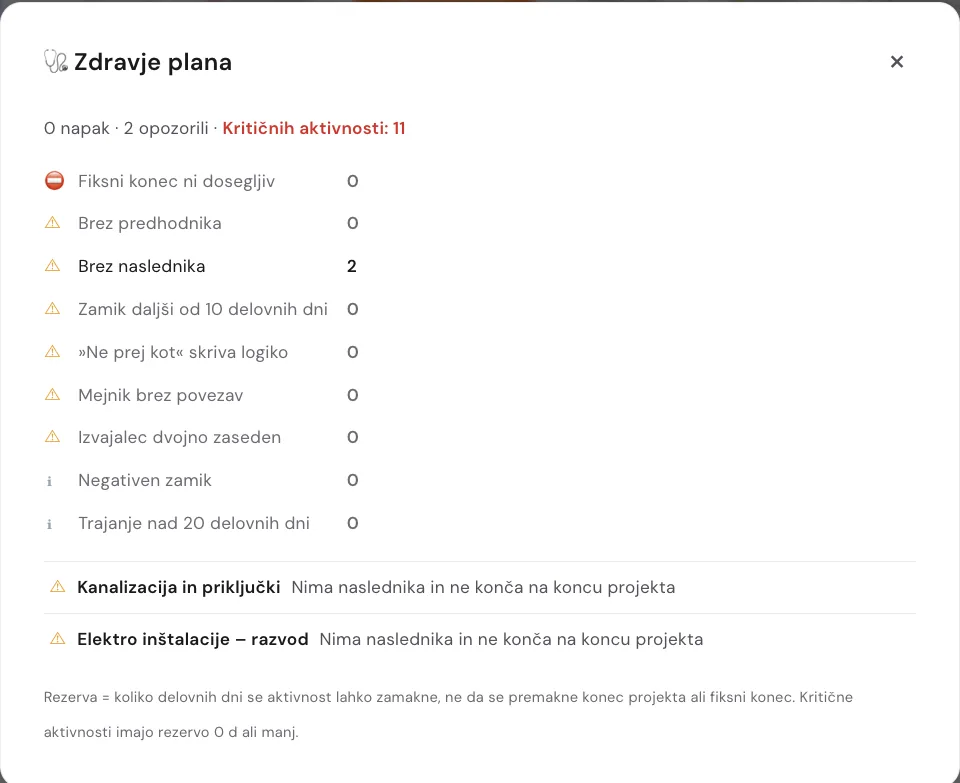
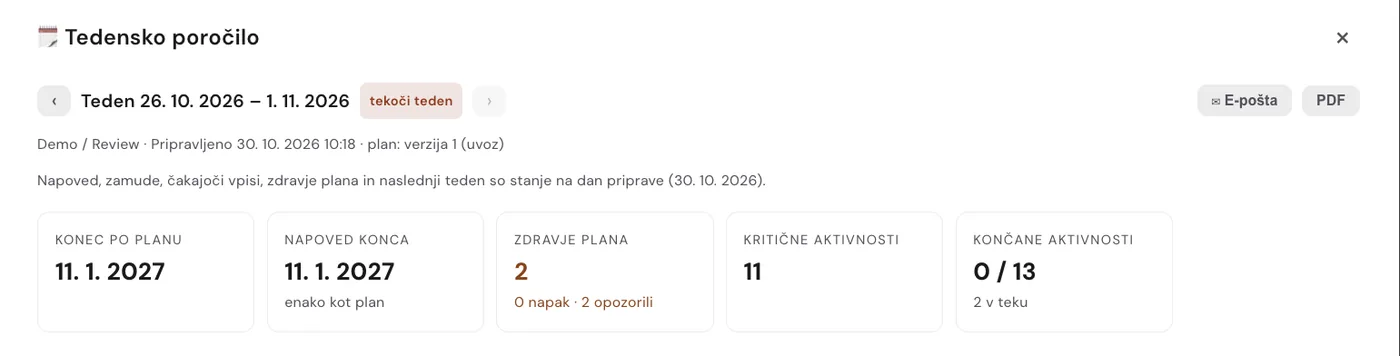
Every feature in both plans. You pay by the number of active sites; subcontractors on a link are free.
For smaller contractors and single sites.
€ 69 /month
Start trialFor companies running several sites at once.
€ 149 /month
Start trial14-day free trial. A card is required at signup; the subscription starts automatically after the trial unless you cancel before it ends.
Prices in euros, net (excluding VAT).
Checkout is unavailable right now. Please try again or email us.
ConaPlan is construction project software that combines a construction schedule (Gantt chart) in a web app with site reporting in a mobile app, in one account. The schedule is kept current by status confirmations, problem reports and voice reports from site.
No. The official site diary is a separate document kept under the applicable regulations. ConaPlan prepares clean daily groundwork for it: dated reports with photos, weather, activity progress and problems, from which the diary is filled in quickly.
Yes. ConaPlan imports MS Project (.mpp and XML), Primavera (XER and P6 XML), Excel and CSV. Before importing it shows on how many activities the dates match the original and lists every warning by row. Schedules are imported into an empty project.
No. If you plan in MS Project or Primavera, import the schedule into ConaPlan and run the execution from there: status confirmations, problems, reports, versions and the finish forecast.
No. Each crew gets a link that shows only its own activities, where it confirms them, reports a problem or answers "not sure yet". Subcontractors do not count toward the user limit.
Yes. Voice reports, status confirmations and problem reports are stored on the phone and sent automatically once a connection is back.
The planning web app is currently in Slovenian. The mobile app is in English, German, Croatian, Slovenian and Albanian. Site reports can be translated into any language — each language gets its own page in the PDF.
The database is in Frankfurt, the application server in Amsterdam and the automations on servers in Germany. Report transcription and structuring use AI providers (OpenAI, Anthropic). Every processor is listed in the privacy policy; we sign a data processing agreement (DPA) on request.
The trial lasts 14 days and includes every feature of the chosen plan. A card is required at signup; unless you cancel before the trial ends, the subscription starts automatically. Prices are net, excluding VAT.
ConaPlan is made by ConaBox in Slovenia. It is built by a civil engineer with twenty years of site management experience — which is why it counts in working days, knows public holidays and keeps the plan apart from what actually happened.
14 days free, every feature. Import your schedule in minutes.
Start 14-day trial